
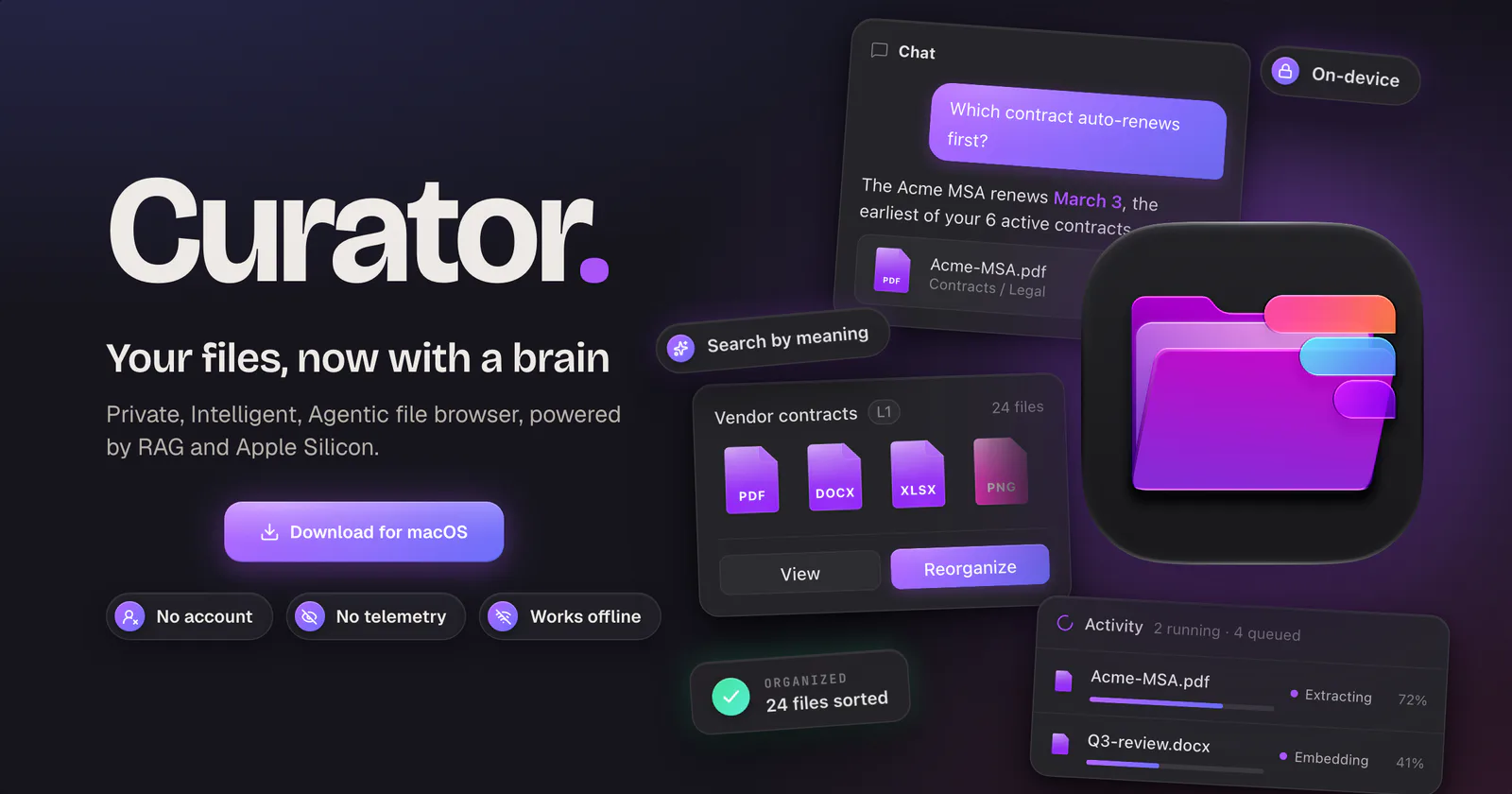
A file browser built around content
Most file browsers are excellent when you know where something lives or remember part of its name. They become less helpful when the useful clue is conceptual: “the electricity bill from last spring,” “the photo from Florence at sunset,” or “the contract that mentions automatic renewal.”
Curator adds a content-aware layer to the folders you already use. Point it at a local directory, iCloud Drive, or an S3-compatible bucket. It reads supported files in place, extracts useful details, and keeps a separate index for search and retrieval. Your original files remain in their original formats and locations.
- SearchDescribe the subject or detail you remember in ordinary language.
- AskQuestion your documents and follow citations back to the exact source files.
- BrowseUse local folders, iCloud Drive, or S3-compatible storage in one interface.
- OrganisePreview content-derived paths before applying any change.
Semantic file search, without filename guesswork
Semantic search compares the meaning of a query with the meaning represented in indexed content. That makes it useful when the words you remember are not present in the filename, or when several documents use different language for the same subject. Curator combines extraction, chunking, embeddings, and metadata so a remembered idea can lead back to the right file.
Search and chat serve different moments. Search is better when you want the source itself. Chat is useful when the task is to compare, summarise, or answer a question across several sources. Curator keeps the evidence visible by linking answers to the files they came from.
For a fuller explanation, read how to find files by meaning on a Mac.
Local-first by architecture
Curator runs on your Mac. Its search index is local, there is no Curator account, and Bleural does not operate a backend that receives your archive. You choose the storage and models the app can reach.
Local models can run through Ollama. If you prefer a hosted model, you can connect one with your own API key. The important distinction is control: the app does not silently substitute its own storage, model provider, or analytics pipeline.
Organise by what is inside
Search helps you retrieve a file. Organisation helps the archive stay legible over time. Curator can turn extracted attributes into a proposed folder structure, show the resulting path for every file, and wait for approval before applying it.
That preview matters. Content-aware automation should make decisions inspectable before it changes a library. Curator keeps the real directory structure available and treats its smarter view as a tool, not a replacement for ownership.
Who Curator is for
Curator is useful for people with a growing working archive: researchers with mixed documents, musicians with tabs and audio, freelancers with invoices and contracts, or anyone whose folders have outgrown exact-name search. It is especially well suited to people who want AI-assisted retrieval but prefer their index, files, and model choices to remain under their control.
Start with one useful folder
Install Curator on a Mac running macOS 13 or later on Apple Silicon. Add a local folder or storage source, choose a supported model configuration, and let the app index a small, familiar collection first. A bounded archive makes it easier to understand the results before expanding the scope.
Curator is free to download and use. The setup documentation explains storage and model configuration in detail.